What is Google Merchant Center? A guide for retail marketers
Part of: Product feed optimization
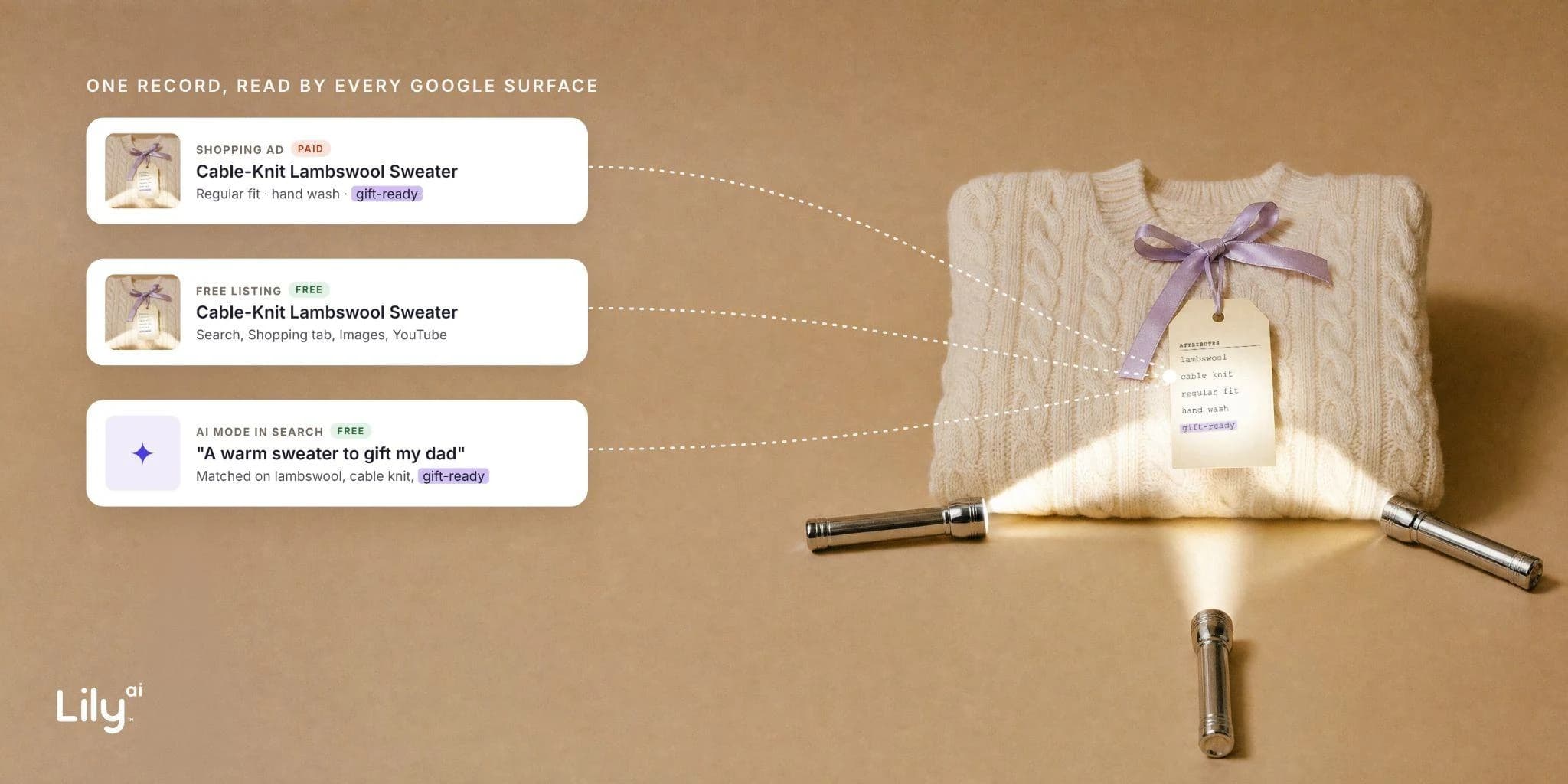
Most marketing teams see Merchant Center as a settings screen someone in ecommerce owns. It shows up when ads get disapproved or an account gets a warning. That framing made sense when a feed only had to pass. It doesn’t hold now, because the same record that passes Google’s checks is also what Google’s ads, listings and AI answers read when they decide which of your products to show.
Here’s the screen we open first when we audit a Merchant Center feed.
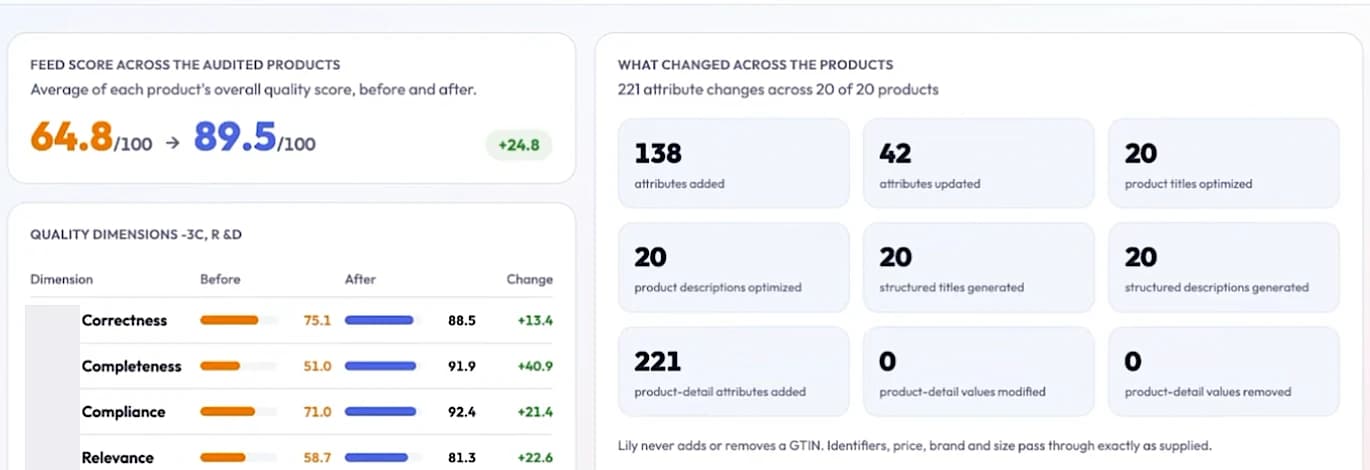
It answers a question Merchant Center doesn’t ask. Merchant Center tells you whether a product is allowed to show. This screen scores how much each product record actually says, on correctness, completeness, compliance, relevance and differentiation, and counts every field that changed. The line at the bottom matters as much as the scores: identifiers, price, brand and size pass through exactly as supplied. A product can clear every Merchant Center check and still carry a record too thin to win a search.
What is Google Merchant Center?
Merchant Center is where a business uploads and manages the product data Google uses to show its products. Google’s own help center describes it as “a free tool that helps millions of shoppers on Google discover, explore, and buy your products” (Merchant Center Help). You connect a store platform, upload a file or send data through Google’s API, and Google checks each product against its rules before it can appear.
You may still see the name Merchant Center Next in older guides. Google said in August 2024 that all retailers would be upgraded to that new version by September (Merchant Center Help), and in July 2026 it dropped “Next” from the name, so the tool is simply Google Merchant Center again (Merchant Center Help). Logins and accounts didn’t change.
The account itself has six areas, in Google’s own words:
| Area | What you do there |
|---|---|
| Overview | See performance, product status and suggested actions |
| Notifications | Find setup issues, policy issues and recommendations |
| Products & store | Manage product details, shipping and returns |
| Marketing | Promote products across Google and manage ads, promotions and visibility |
| Analytics | Read clicks, impressions, market share and pricing insights |
| Settings | Business info, data sources, add-ons, and access to other Google services |
Source: Google’s tour of the Merchant Center layout (Merchant Center Help).
What does Merchant Center feed?
Merchant Center feeds almost every place Google shows a product, paid and free. One catalog sits behind all of them, which is why one weak record shows up weak everywhere at once.
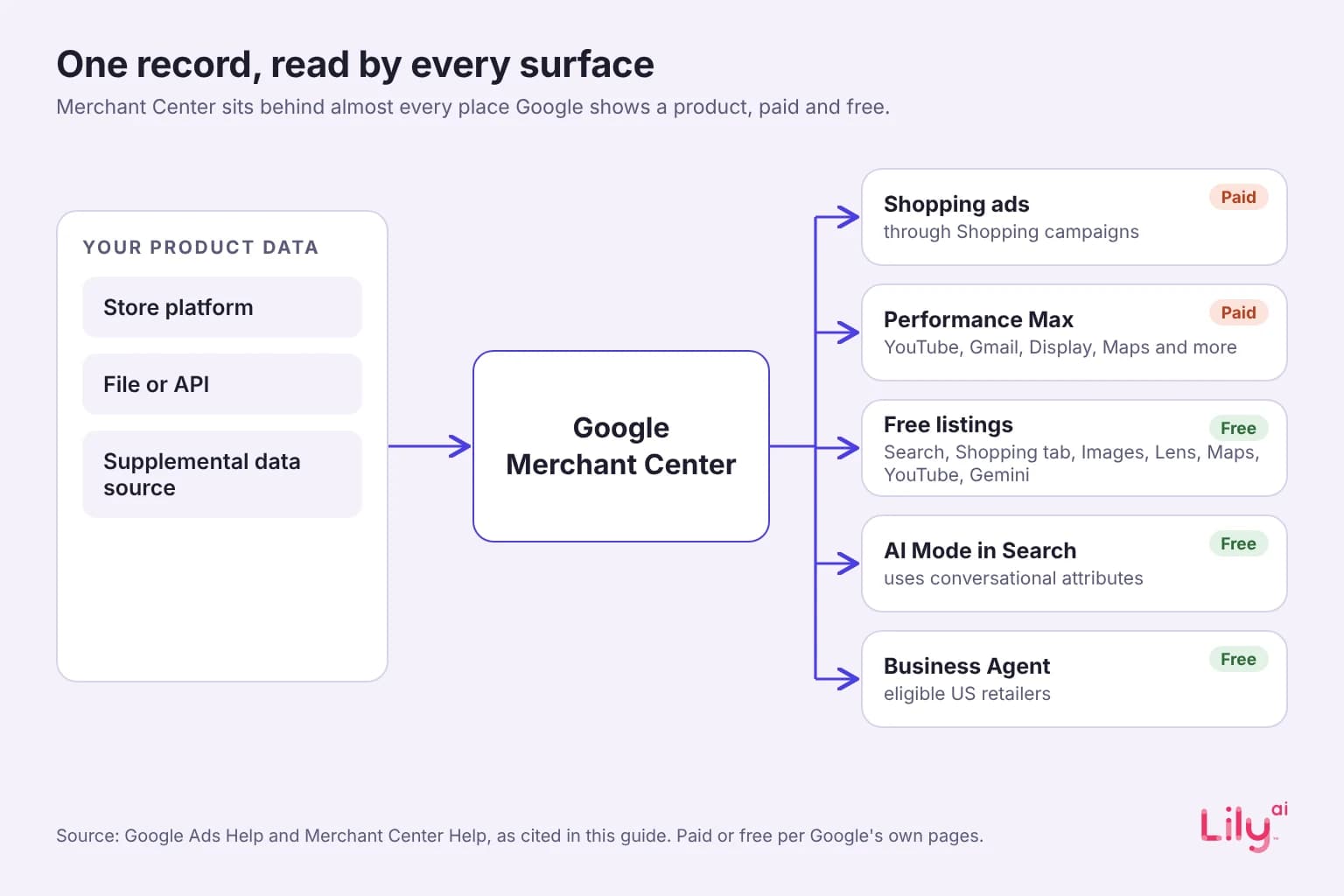
| Where it shows | Paid or free | What Google says it uses |
|---|---|---|
| Shopping ads, through Shopping campaigns | Paid | “Shopping ads use your existing Merchant Center product data (not keywords) to decide how and where to show your ads” (Google Ads Help) |
| Performance Max | Paid | The same product data, across most Google Ads channels, including YouTube, Gmail, Display and Maps (same page) |
| Free listings | Free | Products “can appear at no cost on Google Search, Google Maps, Gemini, YouTube”, plus the Shopping tab, Google Images and Google Lens (Merchant Center Help) |
| AI Mode in Search | Free | Conversational attributes in Merchant Center help shoppers find product information “across AI-driven surfaces, like AI Mode in Search” (Merchant Center Help) |
| Business Agent | Free | A branded agent shoppers can chat with on Search, which eligible US retailers turn on in Merchant Center (Google blog, 11 January 2026) |
The first row is the one most marketers underrate. A Shopping ad has no keyword list. Google reads your title, description, category and attributes, and matches them to searches. Your product data is your targeting.
Behind the AI answers sits Google’s Shopping Graph, which Google says holds “60+ billion continually refreshed product listings” (Google blog, 15 October 2026). Google has said the Shopping Graph takes in what retailers “share directly via Google Merchant Center”, alongside what brands publish elsewhere online (Google blog). Merchant Center is the one part of that graph you control field by field.
What product data does Merchant Center require?
Every product needs seven fields: id, title, description, link, image link, availability and price (Google’s product data specification). Brand is required for most new products, and an MPN is required when a product has no GTIN.
Apparel adds more. Google requires color, gender and age group for apparel in free listings and in several countries including the US, and size for clothing and shoes. Variants need an item group id, and material and pattern become required when they’re what tell two variants apart (same specification). Our guide to Google Shopping feed requirements goes through each field and what it takes to pass.
Two limits shape most of the writing. Titles can run to 150 characters and descriptions to 5,000, both as plain text (Google’s product data specification). Short titles and two-line descriptions leave most of that room empty, and that room is where the words shoppers search for would go.
Why do approved products still lose?
Because approval and selection are two different tests. Merchant Center’s checks ask whether a product follows the rules: is the price on the feed the price on the page, is the image real, is the category allowed. Selection asks something else. Does this product’s record contain the words and facts that match what a shopper just typed or asked?
Take a men’s rain jacket whose record says navy, nylon, sizes S to XXL, and a price. It passes every check. A shopper then asks AI Mode for a packable rain jacket for a hiking trip that fits over a fleece. Nothing in that record says whether it packs into its own pocket, how waterproof it is, or how roomy the cut runs. Google can’t match facts it was never given, so the jacket sits approved and unseen.
The rule failures still matter, and they cost more than impressions. When the price, availability or claims on a feed don’t match the site, Merchant Center can suspend the account for misrepresentation. Our misrepresentation checklist lists them in the order we find them. But a clean account is the starting line. What the record says decides where you finish.
What are conversational attributes in Merchant Center?
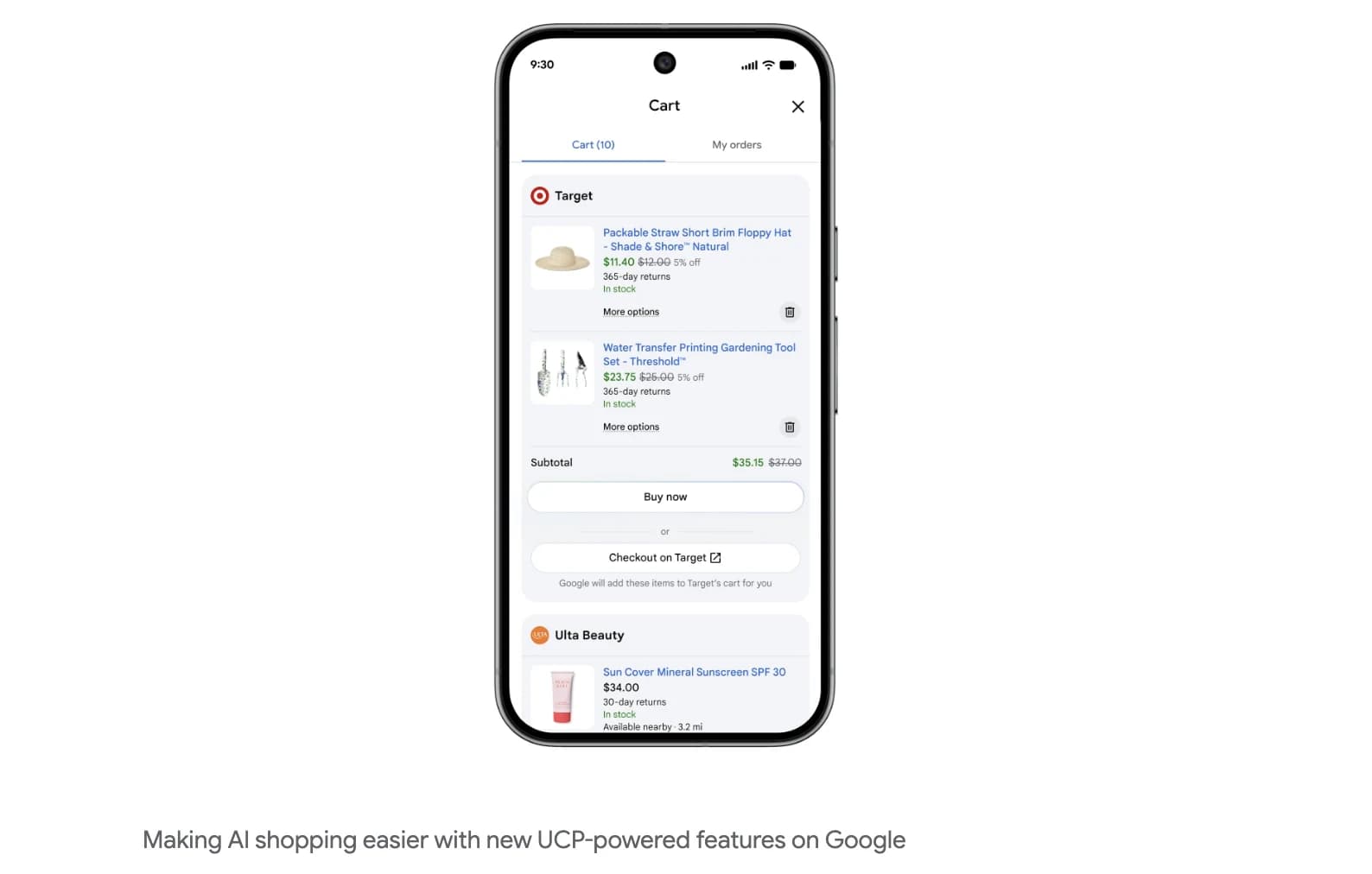
Conversational attributes are optional product fields built for AI answers. Google says they “help AI systems and conversational agents better understand your products’ specific nuances”, and they help in AI Mode in Search while also improving traditional search results (Merchant Center Help). On May 20, 2026, at Google Marketing Live, Google said retailers globally can use them (Google blog).
Google’s help page lists six of them today:
| Attribute | What it carries |
|---|---|
| question_and_answer | Questions and answers about the product |
| document_link | A link to a document such as a manual or spec sheet |
| related_product | Products that go with this one |
| item_group_title | One name for a whole group of variants |
| variant_option | What sets one variant apart from another |
| popularity_rank | How popular the product is |
Google recommends sending them through a supplemental data source, a second source that adds to or overrides your main feed, and says including them “won’t impact the approval status of your existing products” (same page). That makes them low-risk to test. What goes in each field is covered in our guide to Merchant Center conversational attributes.
The harder part is the content. A question and answer pair is only useful if the answer is true and comes from facts you already hold about the product. An answer that guesses at fit, care or use is a claim Google can check against your site, and a shopper can check against the product.
How do you audit a Merchant Center feed?
Start from a sample, not the whole catalog. When we run a feed audit, we take a set of products from the Merchant Center feed, score each one before any change, enrich it, and score it again with the same scoring. The screen at the top of this post shows the result: an average score before and after, a score for each quality dimension, and a count of every attribute added or updated.
Three rules keep an audit honest. First, the score that matters is the one per product, because an average can hide a category that’s empty. Second, count the work before you claim the result: how many attributes were added, how many were changed, how many titles were rewritten. Third, some fields are never touched. GTINs, identifiers, price, brand and size pass through as supplied, because those tie a listing to a real product and a real offer.
A higher score is a better record. It isn’t revenue. To learn what a better record is worth, you test it against a control, with the same spend on both sides.
A Merchant Center checklist to run this week
- Open Notifications. List every product issue and every policy warning, and fix the ones on your best sellers first.
- Read ten best-selling titles as a shopper would. Does each one name the product type, the brand and the one attribute that decides the purchase?
- Check the category. Every product should carry a specific Google product category, not a top-level one.
- Check the apparel fields. Color, size, gender and age group should be filled for every apparel product you sell in the US.
- Write down three questions shoppers ask about one hero product. Find each answer in its Merchant Center record. If an answer isn’t there, that’s your first conversational attribute.
- Compare feed and page for price and availability on your top 20 products. Mismatches can lead to a misrepresentation suspension.
Where this leaves a retail team
Merchant Center used to be a pipe. Now it’s the record every Google surface reads before it decides, and Shopping ads don’t run on a keyword list at all. Whoever owns that record owns how your products are described to every shopper who never reaches your site.
That puts Merchant Center on the marketing team’s desk, next to the media plan. So next year’s budget should name who writes what Shopping and Performance Max read, right beside what they spend.
Where Lily Max fits
Lily Max is the agentic product intelligence engine for AI commerce. It reads every product in a catalog, scores it against what each surface rewards, writes the attributes and copy that are missing, and tests the changes before they roll out. Every result is measured against a control. Book a demo to see what your Merchant Center records are missing.
Frequently asked questions
What is Google Merchant Center used for?
Is Google Merchant Center free?
What is the difference between Google Merchant Center and Google Ads?
Is Merchant Center Next still the name?
Do I need Merchant Center to show up in AI Mode?

See Lily in action
Book a personalized demo and see how Lily can grow your retail revenue.
Related Blogs
What actually goes in Google Merchant Center conversational attributes
What actually goes in Google Merchant Center conversational attributes: worked before-and-after values for apparel and home, plus where to mine them.
By Lily AI
Google Shopping feed requirements: every field that matters in 2026
Google Shopping feed requirements for 2026: the seven required fields, when brand, GTIN, color and size apply, image rules, and fields that win searches.
By Lily AI
Merchant Center suspended for misrepresentation: the checklist, in the order we find them
Merchant Center suspended for misrepresentation? Work this checklist in the order we find them, catch every mismatch, and appeal once with the whole fix.
By Lily AI
Product feed optimization: what it is, what actually moves revenue, and how to prove it
Product feed optimization is a vocabulary problem. The three layers, the eight changes that move revenue, and how to prove the lift with a control.
By Lily AI
Product feed management: when a feed tool is enough and when it isn’t
Product feed management explained: what feed tools do well, where the product content itself is the problem, and how to decide what your catalog needs.
By Lily AI
Ecommerce code freeze: retail sites lock just before holiday shoppers start searching
Your code freeze locks the site as holiday searches peak. What still changes without a deploy in Merchant Center, Meta and Shopify, and how to check.
By Lily AI