Product listing optimization for AI shopping: a thin listing reads like its cheaper twin

Take a request a shopper might give an AI assistant in December: “A gift for my brother-in-law who bakes bread every weekend. Something sturdy that won’t feel cheap, under $75, here before the 18th.” That asks a listing five things: who the product is for, what it’s for, how it should feel, when it has to arrive and how much it can cost. Price is required on Google and Meta, so every listing answers the last one. The first three, the ones gift requests lead with, have no dedicated field beyond gender and age group.
What does a shopping request ask a listing?
Shoppers already search this way. The examples below come from Ahrefs’ US search estimates (Keywords Explorer, average monthly searches over the latest 12 months, pulled 20 October 2026).
| What the request asks | Real US searches, monthly volume | Dedicated field in Google’s spec? |
|---|---|---|
| Who it is for | gifts for coworkers (7,700); gifts for brother in law (2,300) | Partly: gender and age_group only |
| What it is for | holiday party outfit (6,800); hostess gifts (2,900) | No |
| How it should feel | cozy gifts (2,400); gifts for people who are always cold (700) | No: material covers the fabric only |
| When it must arrive | last minute gifts (2,000) | Yes: shipping handling and transit times |
| How much it can cost | gifts under 50 (1,200) | Yes: price |
The pattern holds at scale. We took the 250 most-searched US phrases that begin “gifts for”, which draw about 1.61 million searches a month, and tagged each one by what fills the blank (same Ahrefs pull, our own rule-based tagging). The phrases that describe the recipient by relationship, passion or situation carry about 641,500 of those searches in that Ahrefs pull, roughly 40% by our tagging, and none of those descriptions has a field of its own. Shoppers also expect to hand these requests to a machine. In Accenture’s holiday survey, 27% said they would have an AI agent shop for someone difficult to buy for, or for a gift that needs deep knowledge of the recipient’s tastes (online survey of more than 16,000 shoppers in ten countries, including 4,048 in the US, fielded 13 August to 1 September; Accenture).
Why does a thin listing read like its cheaper twin?
Look at what a machine actually gets to compare. Google’s product data specification has structured fields for price, sale price and shipping. For who a product is for, it has two: gender (male, female or unisex) and age_group, five bands from newborn to adult. Meta’s catalog has the same two fields, with slightly different age bands. Neither platform has a field for a recipient, an occasion or a feeling (Google; Meta; both read 16 November 2026).
Picture two Dutch ovens: a $68 5.5-quart enamelled cast iron pot built for bread baking and a $29 one that looks the same in a photo. If both listings state a product type, a color, a brand, a rating and a price, a machine comparing them sees two Dutch ovens with similar ratings and a $39 gap. Everything that justifies the $39 is what the shopper asked about: a lid heavy enough to trap steam for a crisp crust, cast iron that holds heat from preheat to bake, room for a full round loaf. It only reaches the machine if someone wrote it into a text field.
That’s a price-only listing: price is the only thing a machine can compare, because nothing written down says who or what the product is for. AI shopping assistants match a shopper’s constraints against product records, as our product taxonomy guide explains, and a constraint the record never mentions can’t be matched.
Meanwhile, the platforms are making price easier to watch. Google’s Universal Cart, rolling out in the US across Google Search and the Gemini app since 15 October 2026, notifies shoppers when a saved item drops in price or comes back in stock (Google). Price is the one fact every listing states in the same format, so it’s the fact a machine can always compare.
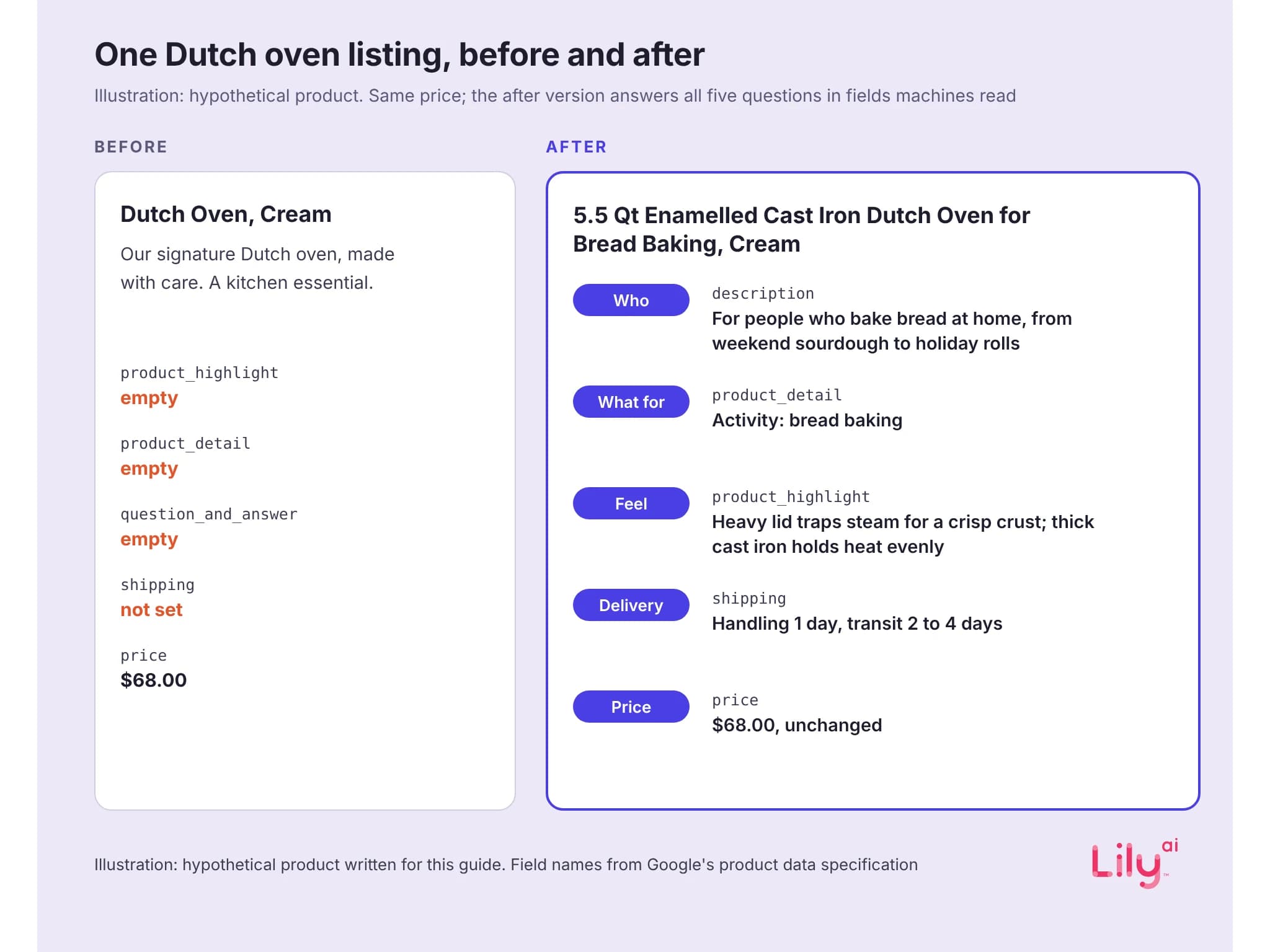
Before and after: one listing, rewritten
Illustration: a hypothetical product written for this guide. It is not a real listing, brand or customer record.
| Field | Before | After |
|---|---|---|
| title | Dutch Oven, Cream | 5.5 Qt Enamelled Cast Iron Dutch Oven for Bread Baking, Cream |
| description, opening lines | Our signature Dutch oven, made with care. A kitchen essential. | A 5.5-quart enamelled cast iron Dutch oven for people who bake bread at home, from weekend sourdough to holiday rolls. The heavy lid holds in steam for a crisp crust, and the pot fits a round loaf of about 2 lb. |
| product_highlight | Empty | The heavy lid traps steam, so loaves bake with a crisp, crackly crust. Thick cast iron holds heat evenly from preheat to bake. Wide loop handles are easy to grip in oven mitts. Comes gift-boxed with a care card. |
| product_detail | Empty | Use: Activity: Bread baking. Materials: Body: Enamelled cast iron. Specifications: Capacity: 5.5 qt. Specifications: Oven safe to: 500°F. Package contents: Included: Dutch oven, lid, gift box, care card. |
| question_and_answer | Empty | Q: Can it go in a hot oven for bread? A: Yes. The pot and lid are oven-safe up to 500°F, hot enough for most bread recipes. |
| shipping | Not set for the product | Handling time 1 day, transit time 2 to 4 days |
| price | $68.00 | $68.00 |
| Meta catalog | Same title and description, no material, no custom label | Title and description as above; material: enamelled cast iron; custom_label_0: For bread bakers |
Now ask the five questions of each version. The before listing answers how much, and answers when only if shipping times happen to be set for the whole account. The after listing answers all five, each in a field built for it, at the same $68. The $39 gap now has reasons a machine can read.
Notice the after listing never uses the phrase “gift for bakers”. Google’s rules for highlights, product details and question-and-answer pairs say to avoid keywords and search terms, so it states the fact the search depends on: the activity the Dutch oven is made for. On Meta, a custom label can carry a short phrase like “For bread bakers”, since Meta describes custom labels as text for your ad creative, such as the headline.
Where each request fact can live
| Request fact | title | product_highlight | product_detail | description | Merchant Center conversational attributes | Meta catalog fields |
|---|---|---|---|---|---|---|
| Who it is for | Only if it defines the product | Yes, as a benefit to that person | Through Activity or a similar key | Yes, in the opening | question_and_answer | gender and age_group; the rest in description |
| What it is for | The use, in a word or two | Yes | Yes: Occasion and Activity are among Google’s example keys | Yes, in the opening | question_and_answer | description; custom labels for ad text |
| How it should feel | One material or build word | Yes | Yes: material, weight, fit | Yes | question_and_answer, if not stated elsewhere | material, pattern, description |
| When it must arrive | No: Google bans delivery dates here | No | No | No | No: no dates | shipping states price by service, not delivery time |
| How much it can cost | No: price has its own field | No | No | No | No: no prices | price, sale_price |
Sources: Google Merchant Center help pages for each attribute and Meta’s catalog fields reference, read 16 November 2026. In Merchant Center, delivery timing belongs in the shipping attribute’s handling and transit time sub-attributes (Google).
Read across the rows. The two facts a machine compares most easily, when and how much, have structured homes and are banned from the text fields. The three facts a gift request leads with have no structured home, so they only count when someone writes them into text, once, as facts about the product.
The rules behind the table
- Title. Up to 150 characters, and Google says shoppers usually notice only the first 70 or fewer, so put the most important details first. Google’s example of a detail worth including is “maternity”, and promotional text, shipping and delivery dates stay out (Google).
- Product highlights. Between 2 and 100 per product, with 4 to 6 recommended, up to 150 characters each. Describe only the product, use them for benefits, and leave out price, shipping, delivery dates, keywords and anything already in another field (Google).
- Product details. Up to 100, each made of a section, an attribute name and a value. Google asks for confirmed values only, and its example keys include Occasion, Activity and Theme, the closest thing Merchant Center has to an occasion field (Google).
- Description. Up to 5,000 characters, and Google recommends putting the most important details in the first 160 to 500 (Google).
- Conversational attributes. Google documents six, including question_and_answer (up to 30 pairs). They’re optional, don’t affect the approval of existing products, are best sent through a supplemental source and shouldn’t repeat the description, highlights or details. Google’s guidance suggests questions about the occasions and activities a product suits (Google; Google).
- Meta catalog. Title up to 200 characters with 65 recommended, description up to 9,999, plus gender, age_group, material and pattern, and up to five custom labels. Meta has no field for occasion or recipient.
For your own listings, our free feed audit shows the gaps in a sample of up to 20 products from your Merchant Center feed.
How to optimize a product listing for AI shopping
- Start from requests. For each top gifting category, collect 20 real requests from site search logs, customer service questions and the gift searches in your category, then split each one into the five facts.
- Write each fact once, as a fact. “Activity: bread and pastry baking” describes the product. “Perfect gift for bakers” is a search phrase, and Google’s rules ask you to leave those out.
- Place it by the table. Use structured fields where they exist and text fields where they don’t, and don’t repeat a fact across fields.
- Keep when and how much true. Google disapproves a product whose feed price doesn’t match its landing page and checkout (Google), and shipping handling and transit times are what turn “here before the 18th” into something a machine can check.
- Mirror the facts in the Meta catalog: description, material and a custom label.
- Check what landed. Open the product in Merchant Center under Products to see the values it holds, and check Diagnostics in Meta Commerce Manager after each catalog upload.
What this does not show
- Ahrefs volumes are modeled 12-month averages, so December peaks look smaller than they are. The 250 phrases are the top of the “gifts for” list, not every gift search, and the tags are our own rule-based classification.
- No platform publishes how much any field weighs in matching. Google’s one published figure for the newer fields is that, in testing with one athletic apparel brand, conversational attributes the brand submitted were incorporated 50% of the time in relevant product recommendations in AI Mode, with no method or sample disclosed (Google, 16 September 2026).
- The Dutch oven is an illustration, and no listing change guarantees a placement in any assistant.
Where Lily Max fits
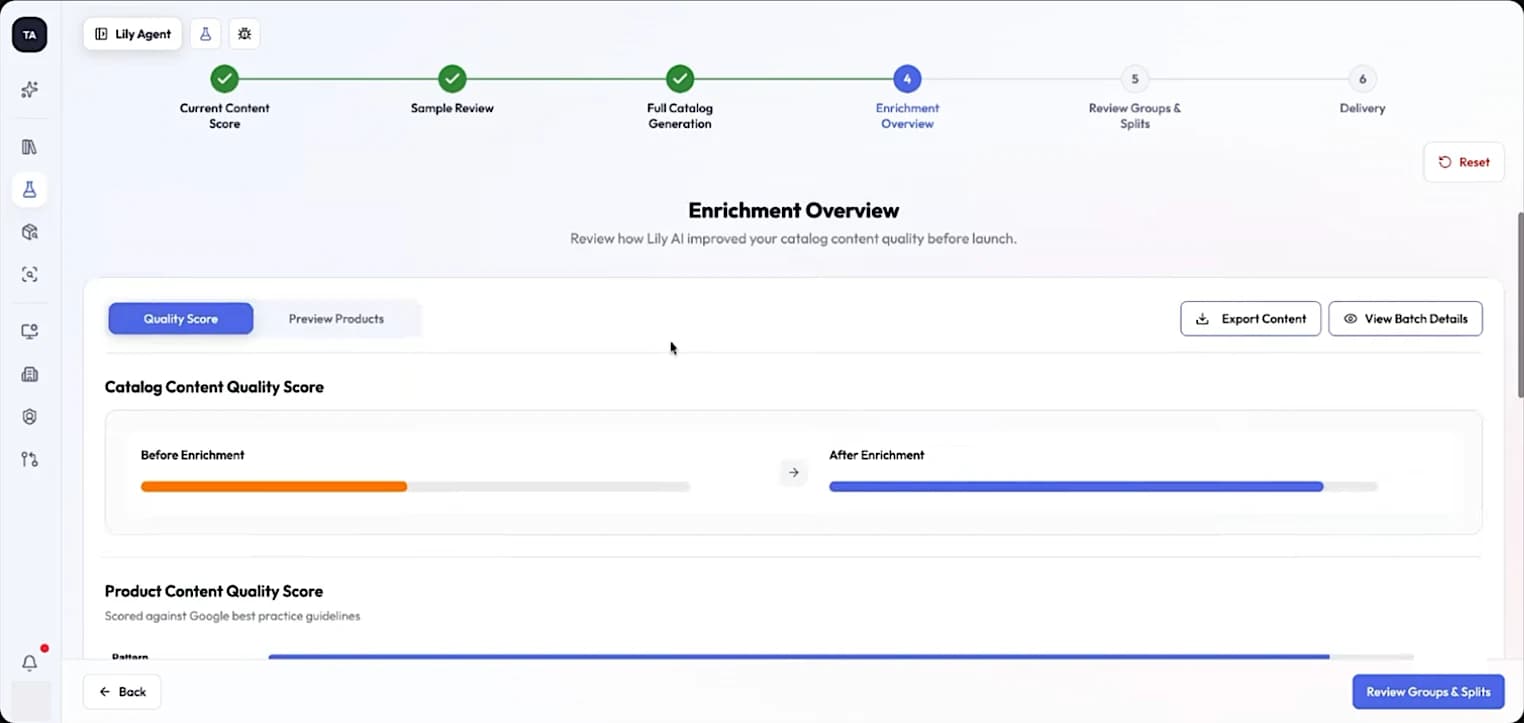
Lily Max compares each product record with the way shoppers describe products in its category and finds the facts that are missing, such as who the product suits, what it’s for and how it feels. It writes those facts in the form each platform accepts, as product details and highlights in Merchant Center and as descriptions and attributes in the Meta catalog. Then it tests the enriched records against a control group of products before they roll out. A person approves every change. See how Lily Max works.
[Book a demo](https://www.lily.ai/book-a-demo) to see which of your listings read like their cheaper twins.
Frequently asked questions
What is product listing optimization?
Where do I put occasion in Google Merchant Center?
Does the Meta catalog have a field for who a product is for?
Should I add phrases like “gifts for bakers” to my listings?
What is a price-only listing?

See Lily in action
Book a personalized demo and see how Lily can grow your retail revenue.
Related Blogs
Google product category: 5,595 categories, and one for every shoe
Google's product taxonomy has 5,595 categories and one for every shoe. How to pick the right Google product category, with 25 examples and where it falls short.
By Lily AI
Product attributes: which ones each discovery surface reads, and what a good one looks like
Which product attributes each discovery surface reads, what a well-formed value looks like, and the 2026 Merchant Center fields to fill in first.
By Lily AI
Product Data Enrichment: What It Means When the Machines Are the Reader
Product data enrichment is not filling empty fields. Get the working definition, the four readers, the boundary with PIM, and a way to measure lift.
By Lily AI
Product taxonomy: where a product sits, and which queries it is eligible for
A product taxonomy decides which queries your catalog is eligible for. Learn to map it, structure it and maintain it across search, Shopping and AI.
By Lily AI
What is Product Content Optimization? 3 Things to Know
In an AI-dominated retail world, basic product copy and bare minimum product data no longer cut it. Three things every retailer, brand, and agency needs to know about product content optimization.
By Lily AI
ChatGPT product feed optimization: the fields that decide what gets shown
ChatGPT product feed optimization, field by field: what OpenAI requires, which optional fields match shopper questions, and what to write in each one.
By Lily AI